Library
Library management software for colleges, from catalogue to gate
Run the catalogue, the issue desk, the entrance and the fines on one desk, with reports for the committee and for Accounts.
The usual way
Where library work goes wrong
-
The catalogue and the shelf disagree
Books are missing, misplaced or issued twice, and nobody can say which copy is where.
-
Fines are argued, not recorded
A fine is agreed at the desk and never reaches Accounts with a receipt.
-
Nobody knows who uses the library
Footfall is guessed, because the register at the gate is rarely totalled.
-
Reports are built by hand
Before every committee meeting, someone counts books and members in a spreadsheet.
What it covers
Everything the library runs on
Catalogue and labels
Know every title and every copy.
- Titles and copies with accession numbers
- Search by title, author, ISBN or class number
- Barcode and spine labels
- Import your existing book list from Excel
- A wishlist of titles to acquire
Issue and return
For the librarian at the desk.
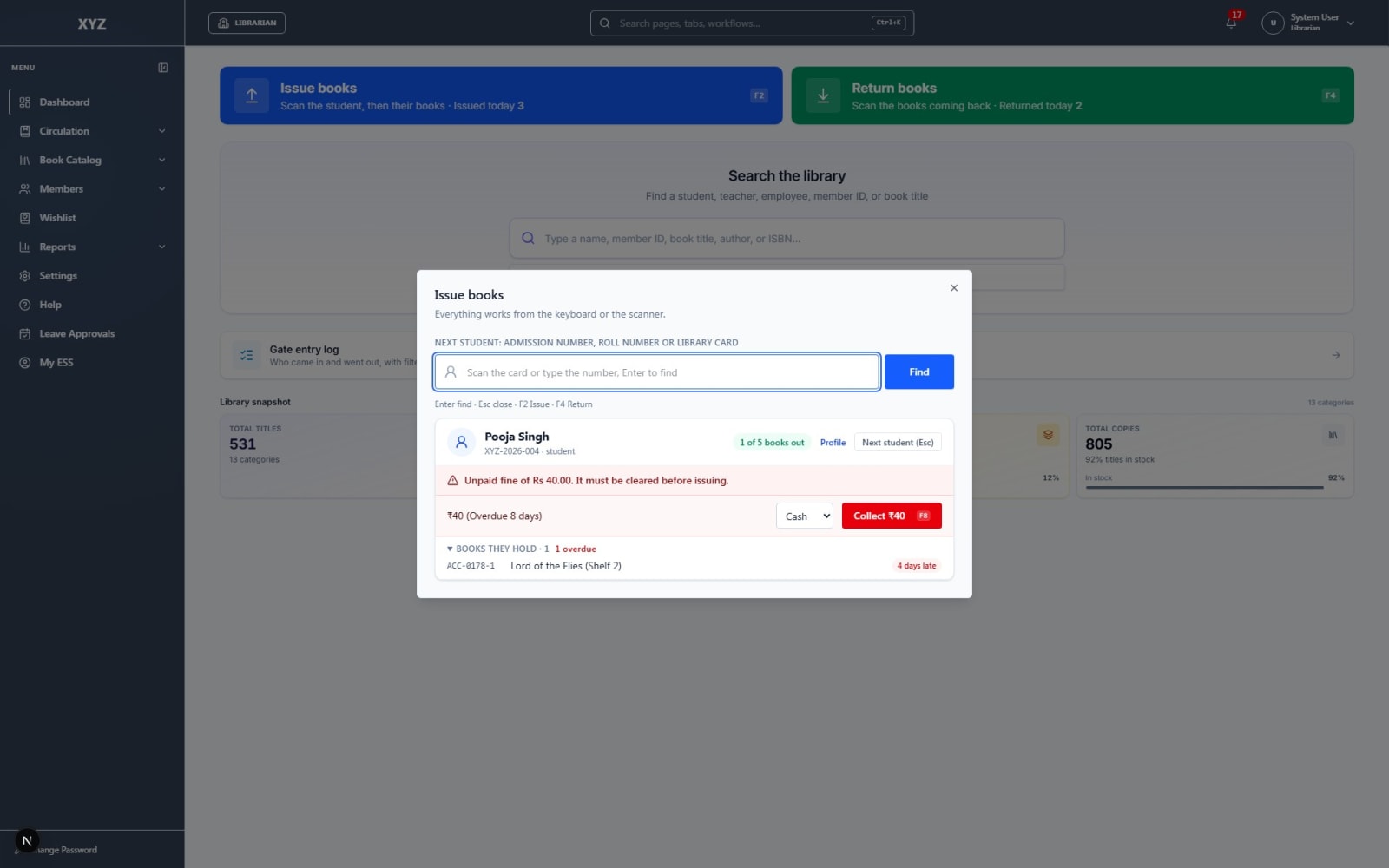
- Issue and return by scanning
- An overdue list for follow-up
- Rules set by member category
- Library holidays respected
Gate entry
Who came in, and when.
- A scan-in, scan-out kiosk at the entrance
- A log you can filter and export
- A gate-only login for the kiosk
Fines and reports
For the committee and for Accounts.
- Fines collected with a numbered receipt
- A fine collection report for Accounts
- Circulation, inventory and weeding reports
- Library access for librarians and management only
The library day
From the shelf to the report
- 1 Catalogue the collection Titles, copies and labels.
- 2 Register members Students, faculty and staff with a digital card.
- 3 Issue and return At the desk, by scanning.
- 4 Collect fines With a receipt Accounts can match.
- 5 Report Circulation, collection and fines.
The library is part of the Tuling ERP and uses the same student and staff records as Tuling SIS. Fines are collected with receipts that Tuling Financials can account for, and the same college suite also covers admissions, HR and payroll and learning. See the full Tuling Library page.
Choosing software
Questions to ask any library software vendor
Use these with us, and with anyone else you are considering.
- 1Does every copy have its own accession number?
- 2Can fines be collected with a receipt that Accounts can reconcile?
- 3Can you see who entered the library, and when?
- 4Can the librarian and the director see reports without being given admin rights?
- 5Can you import your existing book list?
- 6Does it use your student and staff records, or do you re-enter members?
Questions
College library management, answered
What is library management software?
It is software that runs a college library: the catalogue and copies, members, issue and return, fines, gate entry and reports.
Do we need the Tuling ERP to use it?
No. Tuling Library runs on its own. Linking it to the ERP's student and staff records is optional and gives cleaner member identity.
Can we bring in our existing book list?
Yes. Books and copies can be imported from an Excel sheet.
Does it print barcode labels?
Yes. It prints spine and barcode labels on A4 sheets.
Does it record who enters the library?
Yes. A gate kiosk records entry and exit, and the log can be filtered and exported to Excel.
How do library fines reach Accounts?
Fines are collected with a numbered receipt, and a fine collection report shows what was received.
Who can see the library screens?
Librarians and management roles only. A director can see the reports without being given HR or admin rights.
See the library desk with your own books
We will walk through a catalogue search, an issue and return, the gate and a fine receipt with your librarian.