Single campus
One institution, scoped modules
Custom quote Per institution · scoped modules
- Core Tuling Admissions modules you need
- Dedicated tenant & subdomain
- Implementation & training support
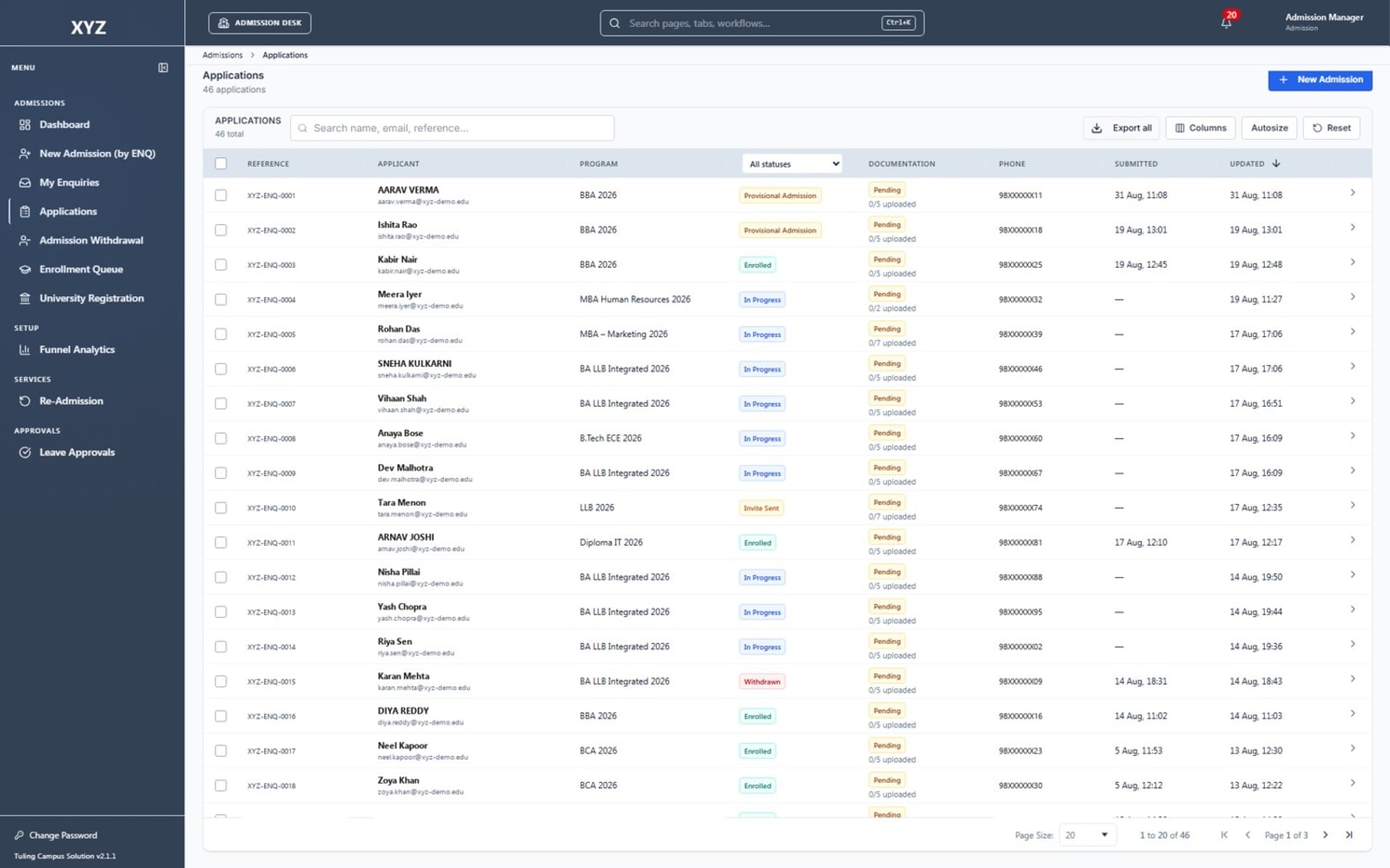
The admission desk of the Tuling ERP: applications, documents, merit lists, fee challans and enrolment, ending in a student record.
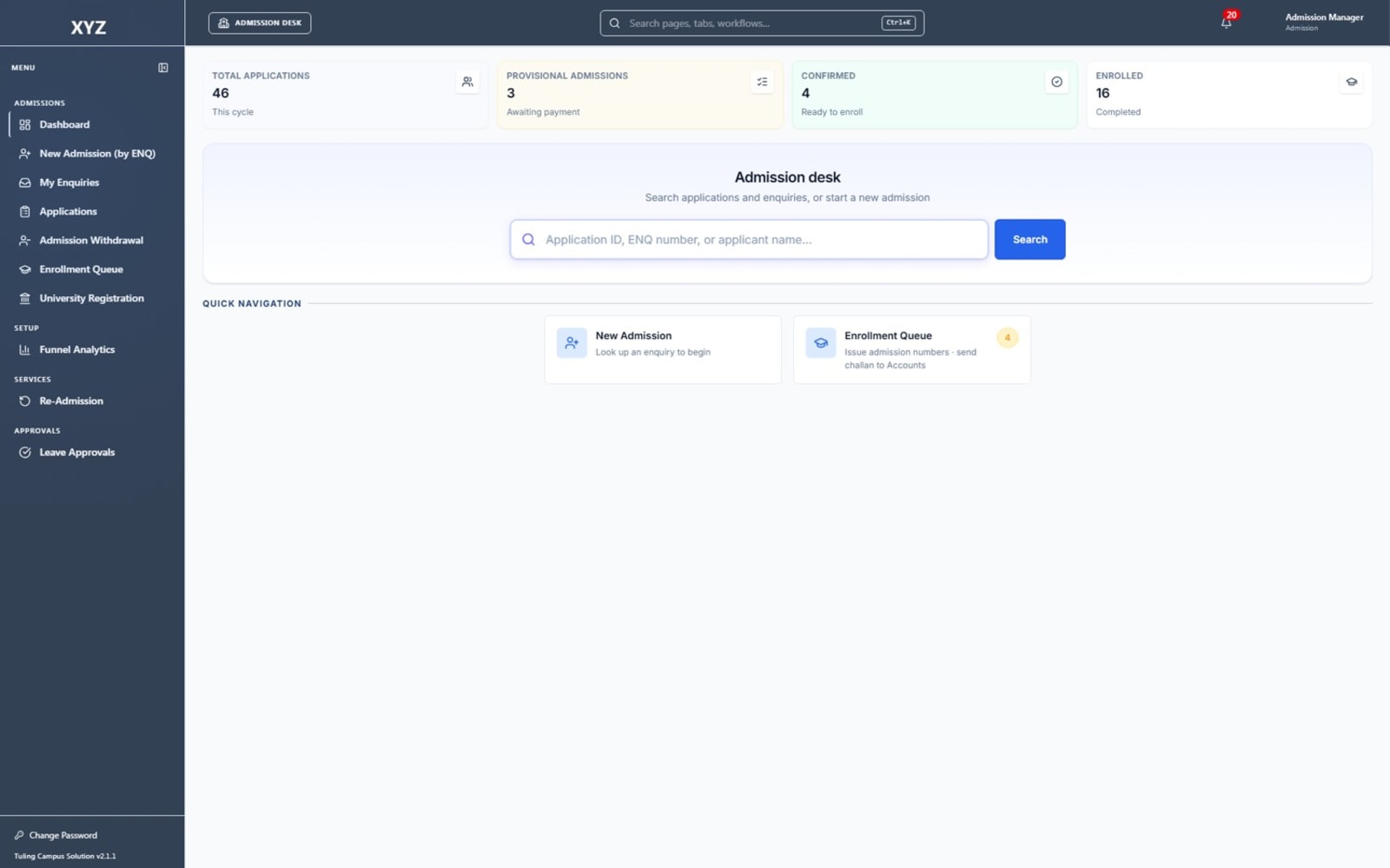
Admissions is a desk of its own in the Tuling ERP. It takes an applicant from application to enrolment, and hands over a student record and a fee challan.
Looking for the full picture? See our guide to college admission software.
Tuling CRM keeps enquiries and counsellor follow-up. When an application is accepted, it arrives here through the CRM intake queue.
How an admission is completed
Each step has an owner and a status, so the desk always knows where an applicant is.
Every admission starts from an enquiry whose registration fee is paid. Walk-ins and phone enquiries are recorded and assigned to a counsellor.
Done by Counsellor
The applicant fills the application form, online or with help at the desk. Privacy consent is recorded before any data or documents are processed.
Done by Applicant or counsellor
Documents are uploaded against the list each programme asks for, then verified or sent back with a reason.
Done by Admission officer
The application is reviewed, ranked against the merit list where it applies, and offered a provisional seat.
Done by Admission officer and department head
A fee challan goes to Accounts. When the fee is paid at the counter, the admission is confirmed.
Done by Accounts
The admission number is issued and the student profile is activated. Hostel and transport can be allotted straight after.
Done by Registrar
Capabilities
The capabilities that make Tuling Admissions more than a records system.
Open an intake for each programme, with its capacity and dates.
Applicants apply online, and staff can take an application at the desk for a walk-in.
Start from an enquiry, and receive accepted applicants from Tuling CRM without re-typing.
Collect the documents each programme needs and check them in one place.
Move each application through the steps your college follows, with a clear status at every stage.
Rank applicants and publish a merit list with a trail of how it was made.
Included
Everything from the first enquiry to an enrolled student, in one module of the Tuling ERP.
Modular entitlements — enable only what your institution needs.
How Tuling Admissions connects to the rest of the platform.
Licensing
Every deployment is scoped to your student and staff count, modules, and campuses. We prepare a formal proposal — no published list price.
One institution, scoped modules
Custom quote Per institution · scoped modules
Most common for groups
Roll-up reporting across campuses
Custom quote Per institution · scoped modules
HCM, SIS, Financials & more connected
Custom quote Per institution · scoped modules
Next steps
Walk through Tuling Admissions with the product team — live ERP, your modules, your questions.
Schedule demo →Institution platform overview PDF for proposals and internal review.
Get PDF →See how this product connects to HCM, SIS, Tally, Power BI, and more.
View integrations →Request a formal quote scoped to your campus size and module list.
Contact sales →FAQ